Start small.
Choose an account already set up in Apple Mail, check your mailbox destinations, and open a stack. Twenty is a starting point, not a rule.
Turn your inbox into a stack you can finish. Handle one email at a time. Reply, move it to a folder, snooze it, or send it to Trash.
Handling 20 emails a day adds up over time. Want to do more or start smaller? You can adjust the size of each stack.
stackof20 is in development. A download link will appear here when it’s ready.
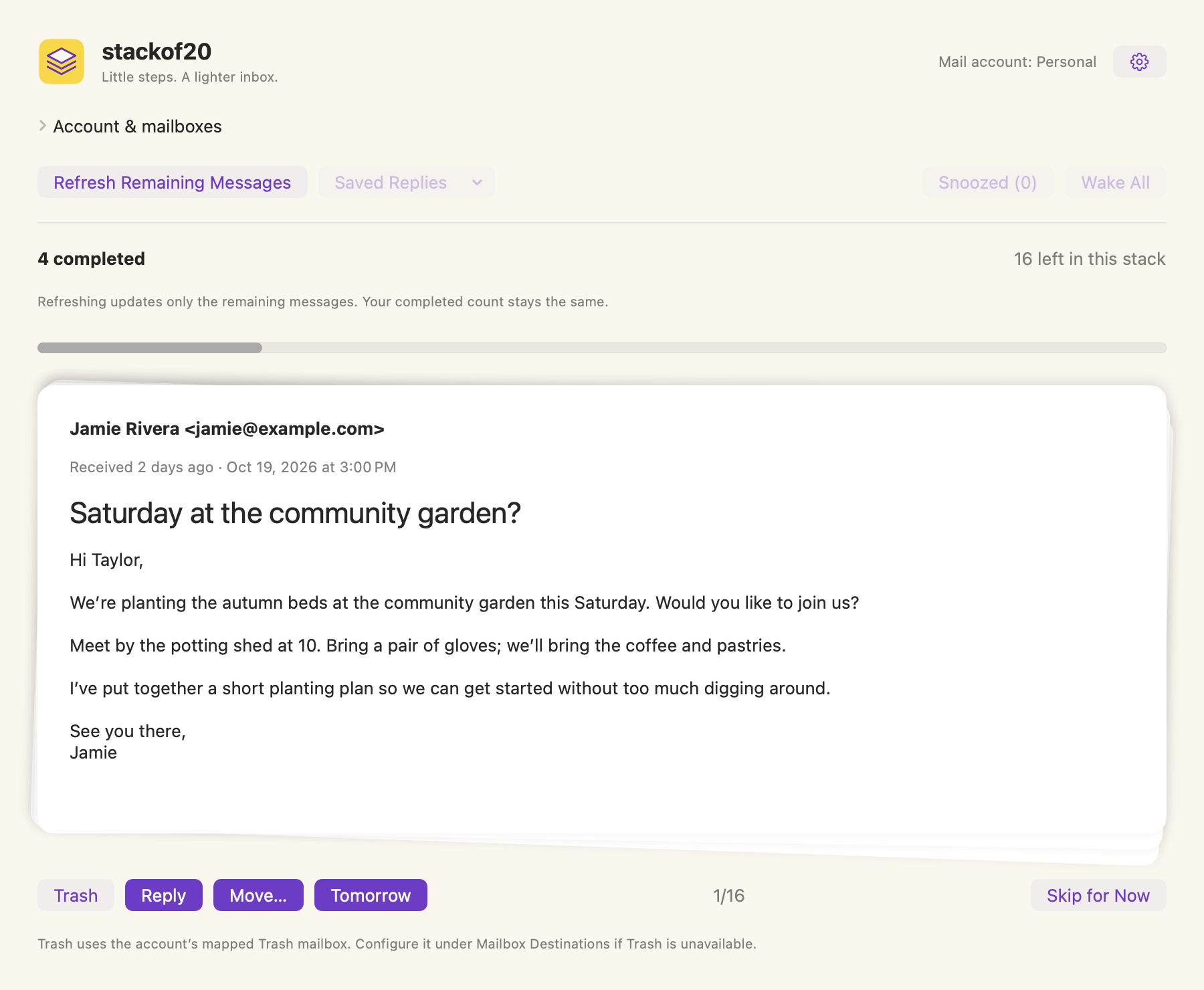
Choose an account already set up in Apple Mail, check your mailbox destinations, and open a stack. Twenty is a starting point, not a rule.
Reply and archive, move to an existing folder, snooze until tomorrow, or send it to Trash. Skip for Now leaves a message undecided.
Finish a stack, then stop for the day or start another. A few minutes each day can help you get your inbox organized.
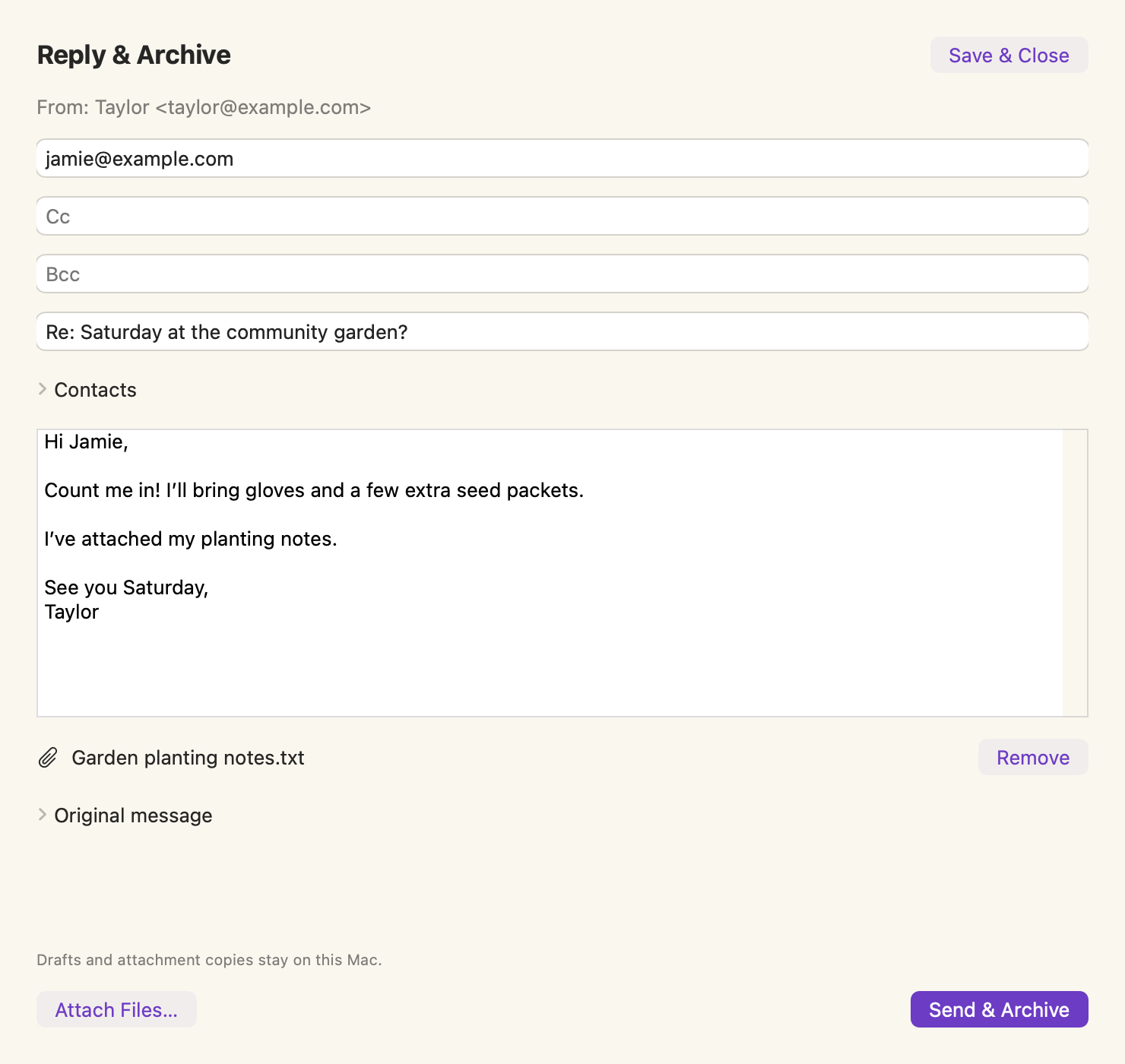
Write a reply, add an attachment, and choose Send & Archive. The original moves to Archive after the reply is confirmed in Sent.
View full-size screenshot →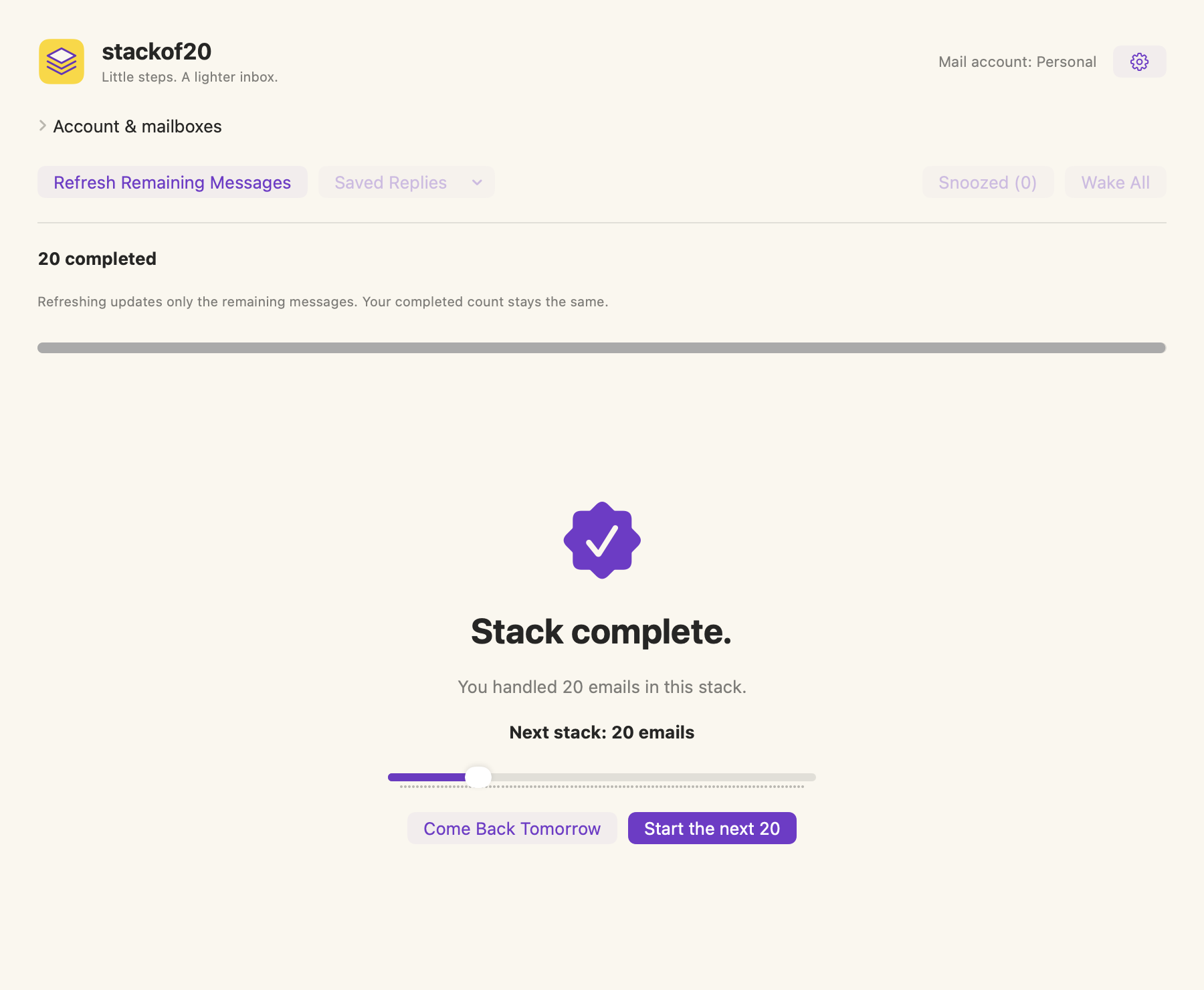
You’ve finished this batch. Stop for the day or choose another stack. There may still be mail in your inbox.
View full-size screenshot →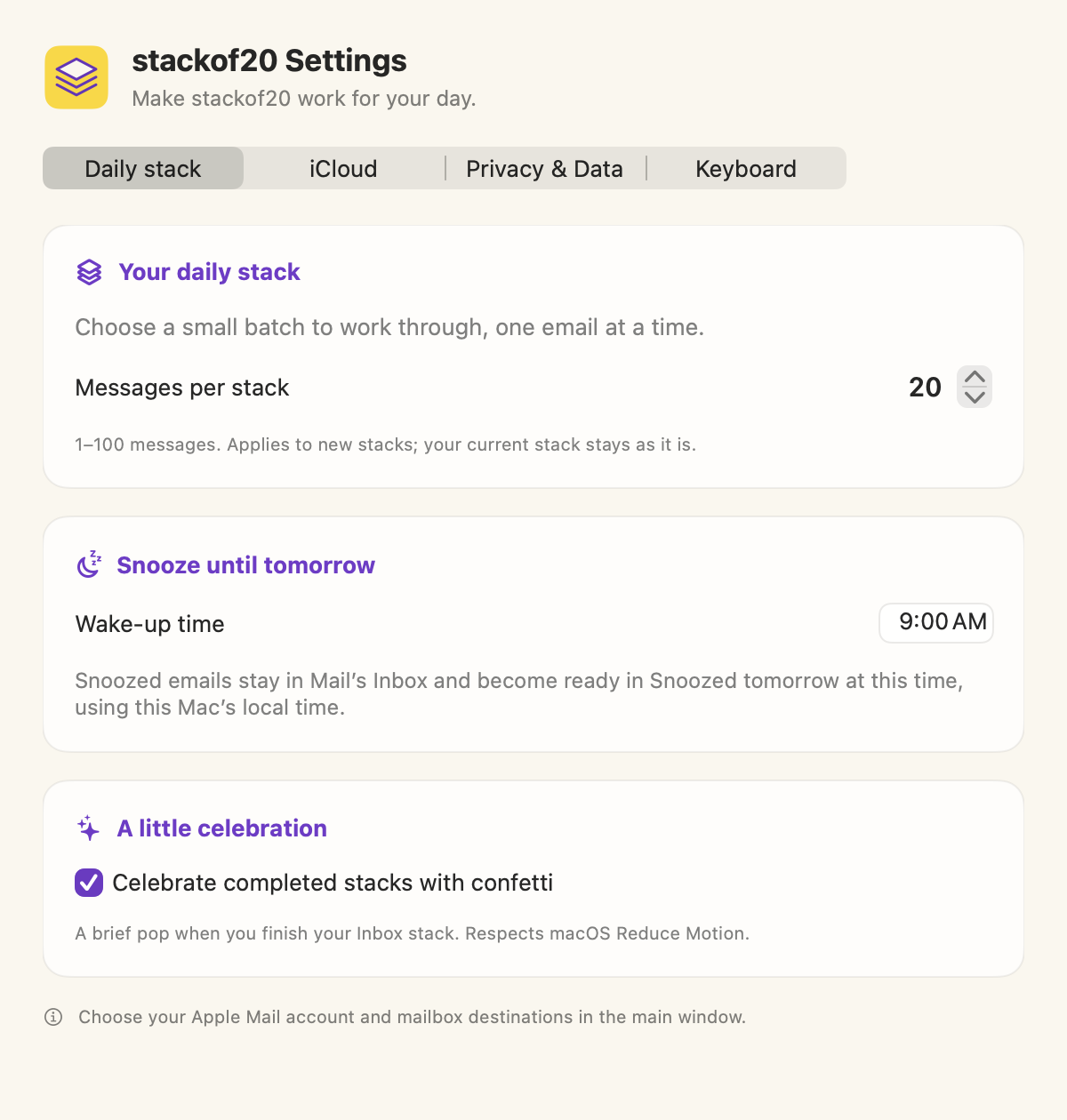
Choose 1 to 100 messages for new stacks, set tomorrow’s local wake-up time, and switch the confetti celebration on or off.
View full-size screenshot →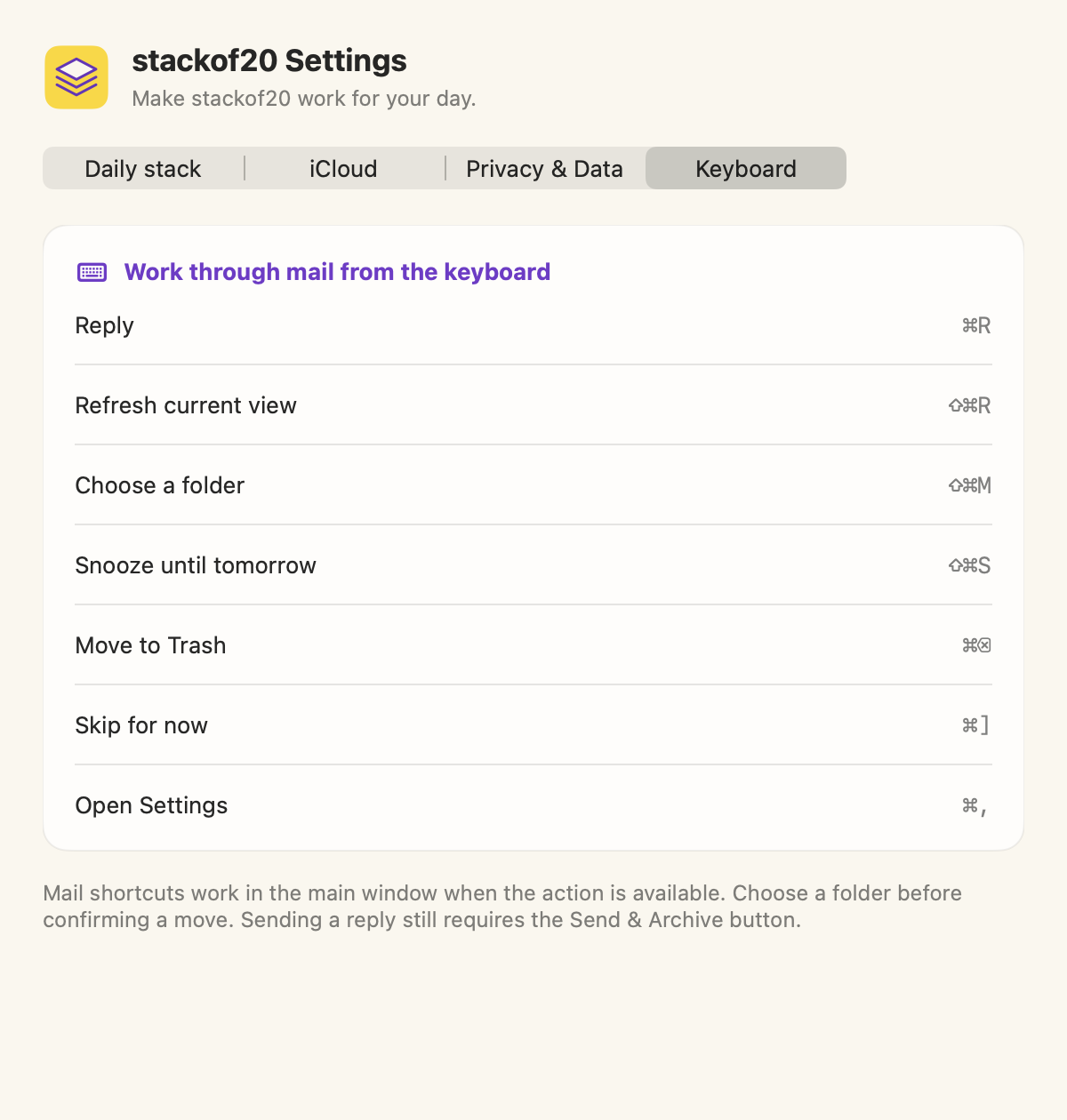
Use Command-key shortcuts for everyday actions. The Keyboard tab lists them in the app, and the user guide explains how the Move picker works.
View full-size screenshot →The decisions you’ve finished in this stack, including snoozing for later. It is not the position of the email you’re reading. Skip for Now does not add to it.
Updates the unfinished portion with eligible Inbox messages. Your completed count stays the same; snoozed emails remain in their own review.
A separate place to revisit emails you deferred. Wake All makes them ready now and opens that review without adding undecided Inbox emails.
We don’t receive your inbox or reply content. stackof20 has no ads, analytics, or tracking. Reply drafts and attachment copies stay on your Mac; optional iCloud sync carries settings and progress metadata between devices.
Read our privacy policy →Twenty emails at a time. A little lighter every day.
Get to know stackof20 →